Katlego Phokela
  • Home
  • Portfolio
  • Blog
  • Experience
  • CV
  • Contact
  • Download CV
Design Gallery

Designs & prototypes

I'm not just an enablement manager who identifies problems and writes recommendations. I sit at the table with delivery teams and design the to-be solutions — screen designs, flows, and PoCs — so technology knows exactly what to build. Below is a slice of that work across Salesforce, mobile, web, ATM, and USSD channels.

Note: these are concepts. Some were taken into production by delivery teams, others weren't — for reasons ranging from shifting priorities and budget cycles to dependency on programmes that hadn't yet kicked off. The thinking and the design work are mine; the build decisions sat with delivery and the product owners.

  • Salesforce
  • Mobile (iOS)
  • Web
  • ATM
  • USSD
  • Chatbot
  • 01. Salesforce — Campaign Operations
  • 02. Insure Assist
  • 03. FAQ Chatbot
  • 04. Claims Tracker — App
  • 05. Claims Tracker — Web
  • 06. Live Chat
  • 07. Pay Missed Premium — App
  • 08. De-Link — App
  • 09. De-Link — ATM
  • 10. De-Link — USSD
01

Salesforce — Campaign Operations

Process design + UI mock-up handed to Salesforce delivery

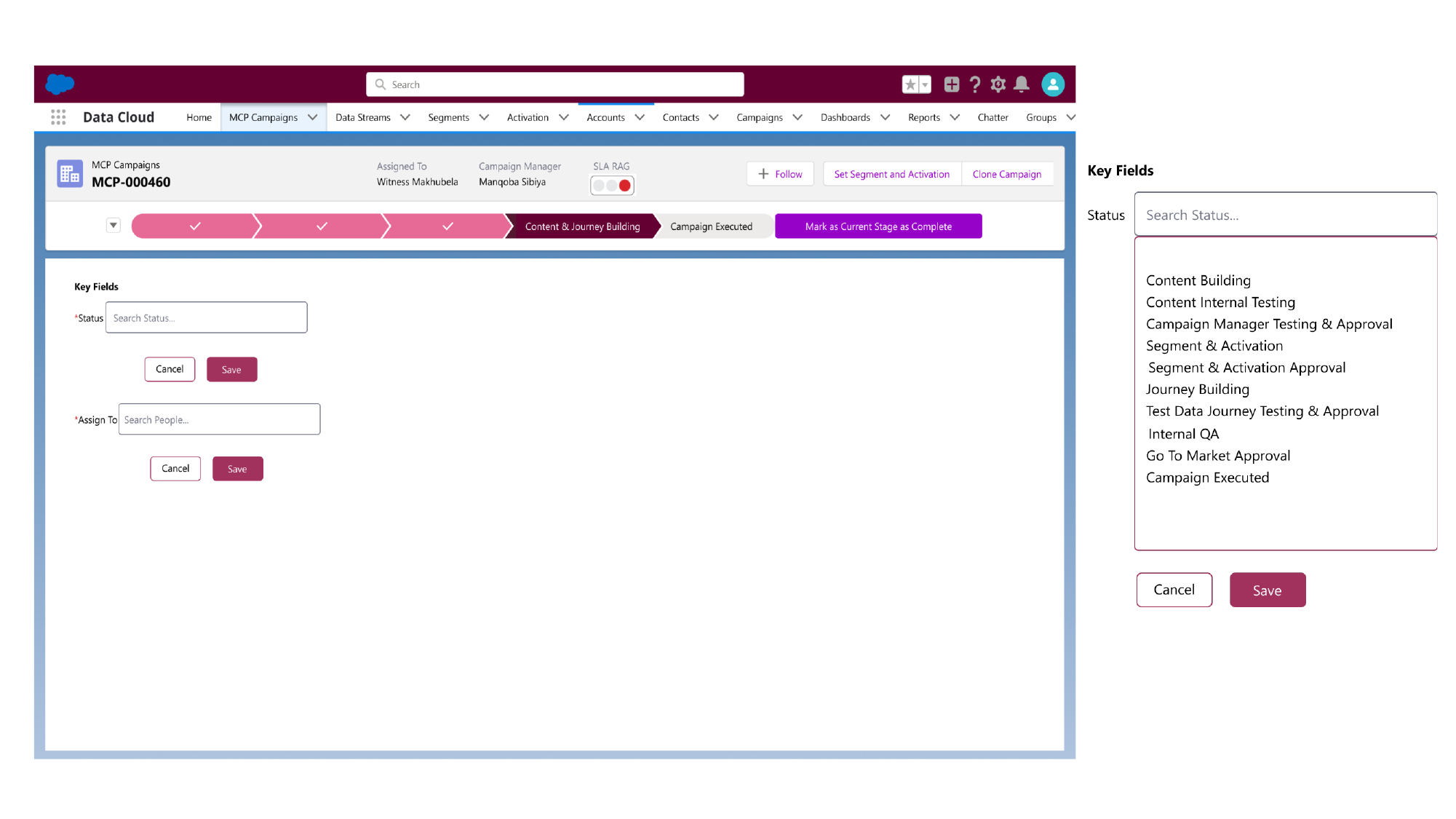
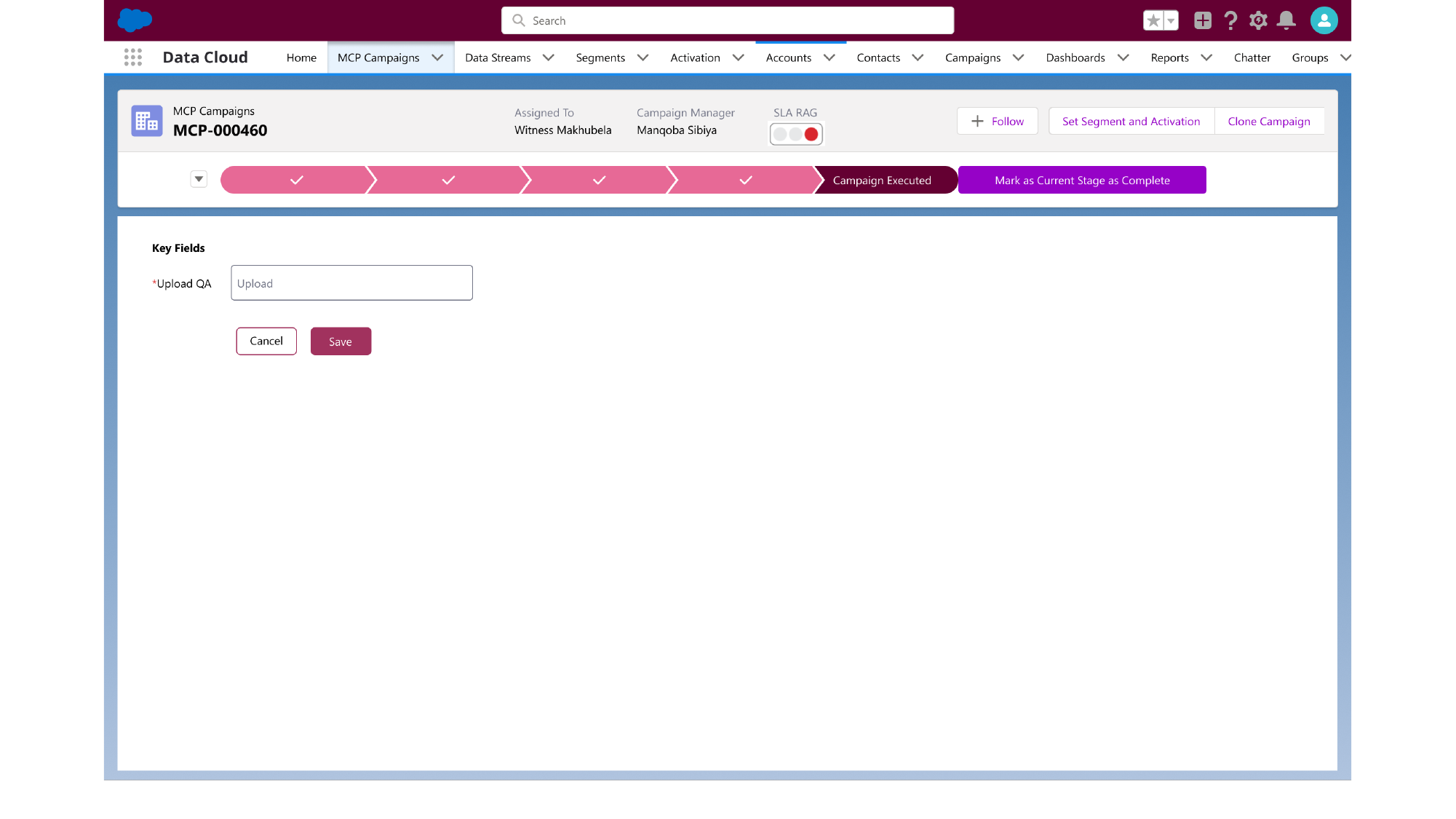
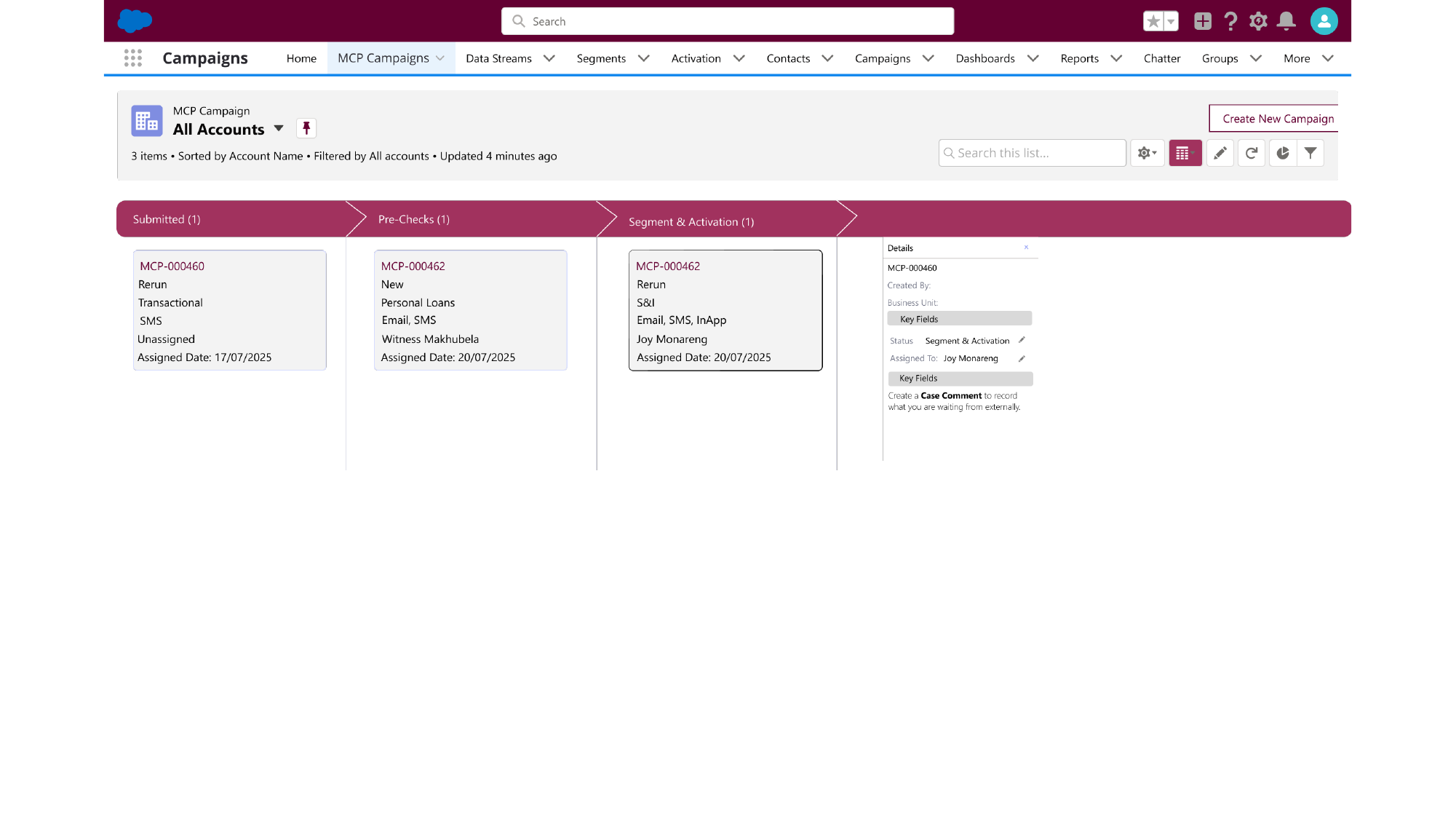
Reimagined the campaign operations workflow inside Salesforce — from a flat list view to a stage-based kanban, structured intake forms, and an automated assignment + SLA tracking layer. The same designs anchor the Phase 1 PoC in my Campaign Operations case study.
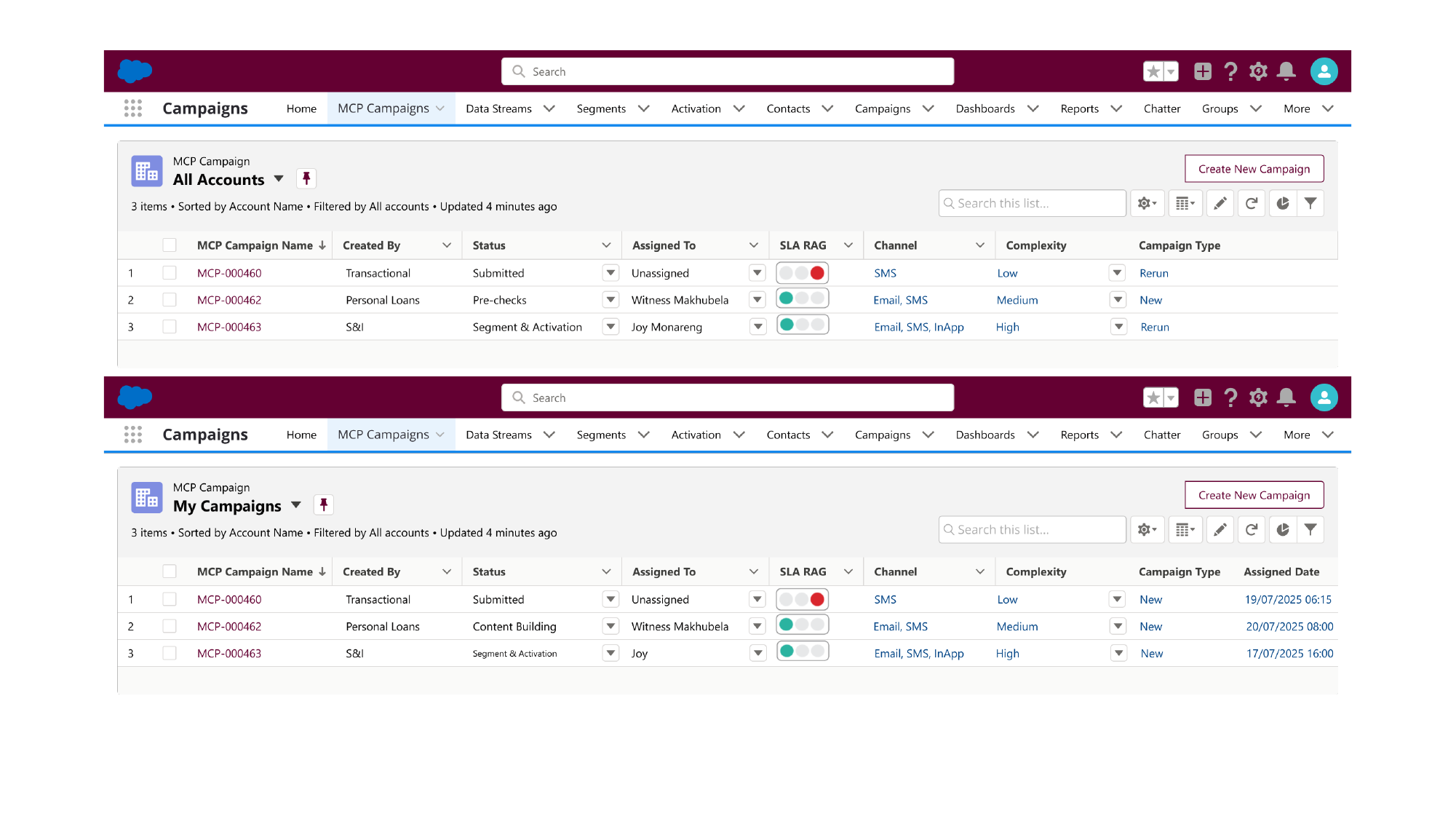
Salesforce — Campaign Operations — Campaign list — Submitted, Pre-checks, Segment & Activation
Campaign list — Submitted, Pre-checks, Segment & Activation
Salesforce — Campaign Operations — Kanban view by stage
Kanban view by stage
Salesforce — Campaign Operations — Stage activation — Content & Journey Building
Stage activation — Content & Journey Building
Salesforce — Campaign Operations — Final stage — Campaign Executed (QA upload)
Final stage — Campaign Executed (QA upload)
02

Absa Life Insure Assist

Concept + UX flow + screen designs handed to digital build team

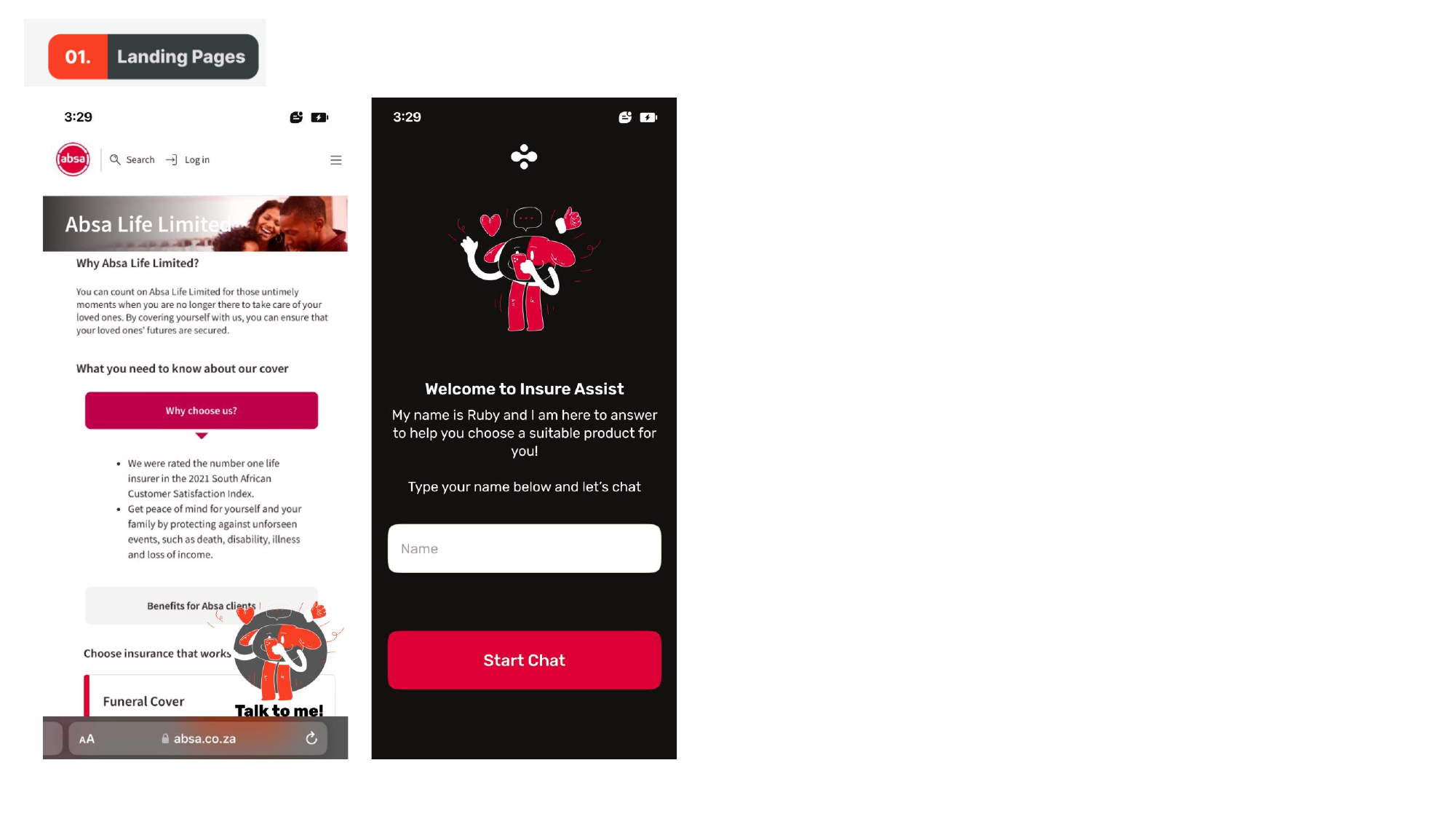
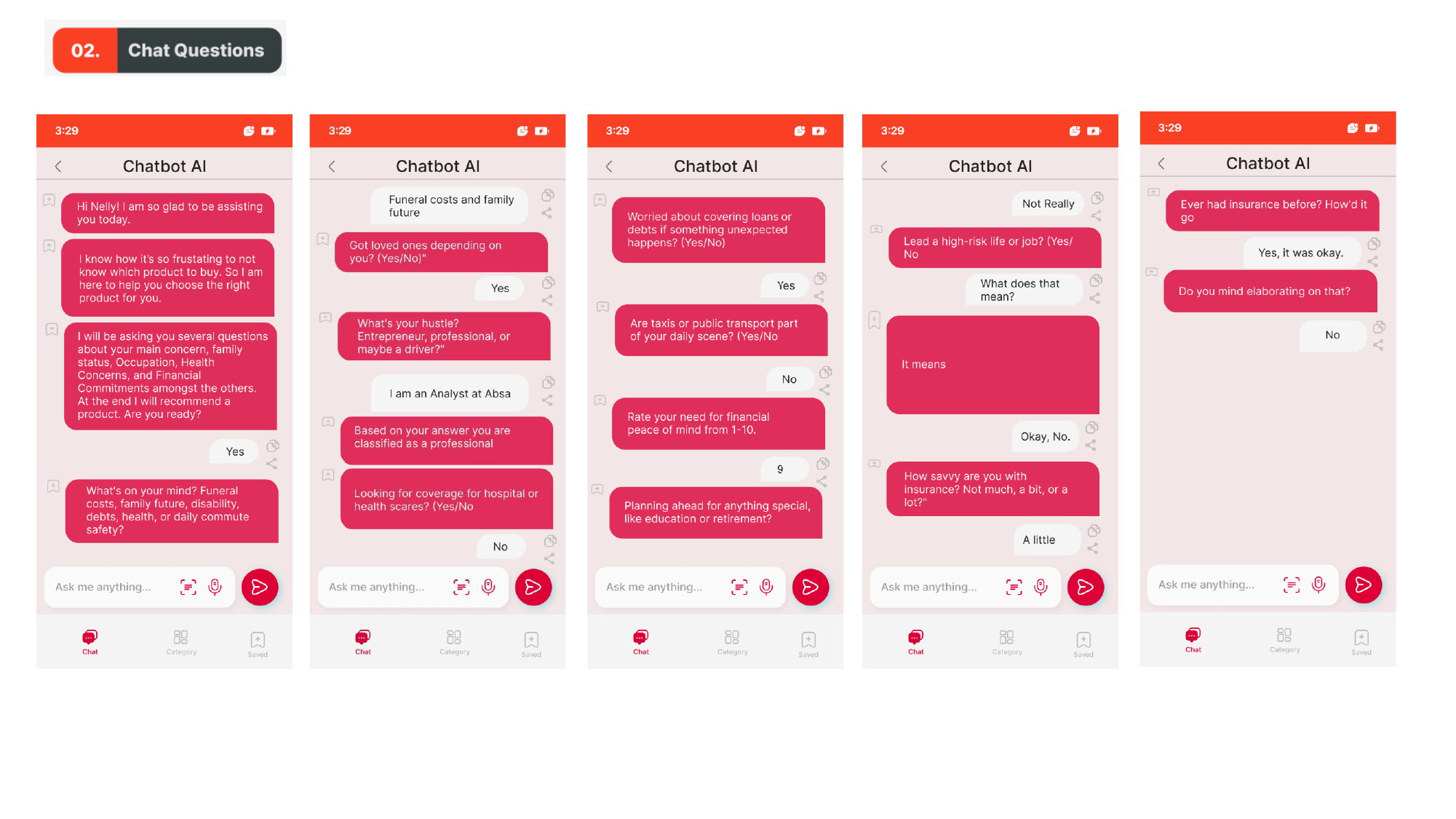
Concept for a guided product-recommendation chatbot — Ruby — that lives on Absa Life's landing page. Ruby asks a short series of life-stage questions and recommends the right cover. Designed the landing entry point, the conversation flow, and every question state.

Absa Life Insure Assist — 01. Landing pages — web + mobile entry into Insure Assist
01. Landing pages — web + mobile entry into Insure Assist
Absa Life Insure Assist — 02. Chat questions — life stage, hustle, financial outlook
02. Chat questions — life stage, hustle, financial outlook
03

Absa Life FAQ Chatbot

End-to-end conversation design + UI screens

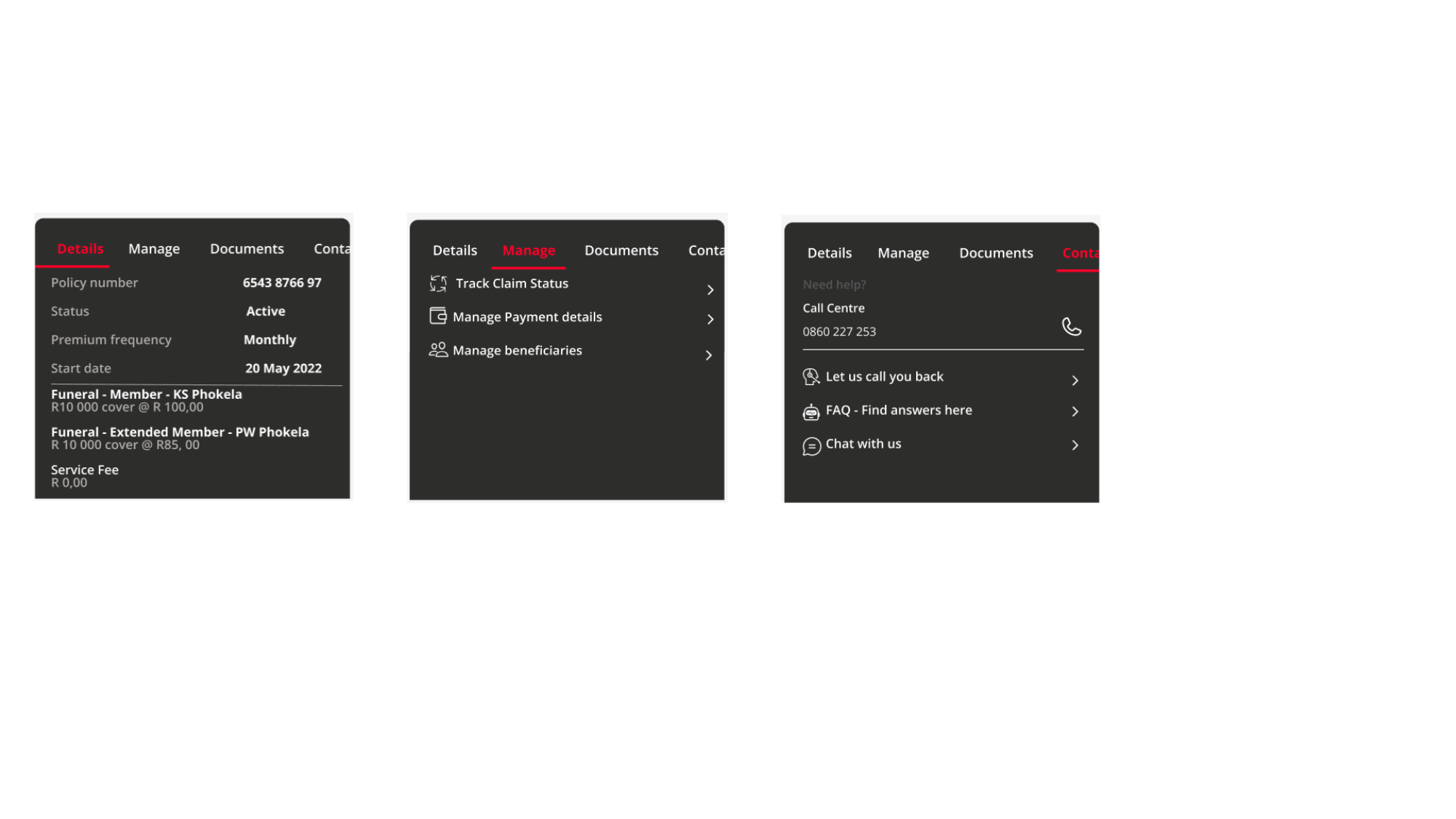
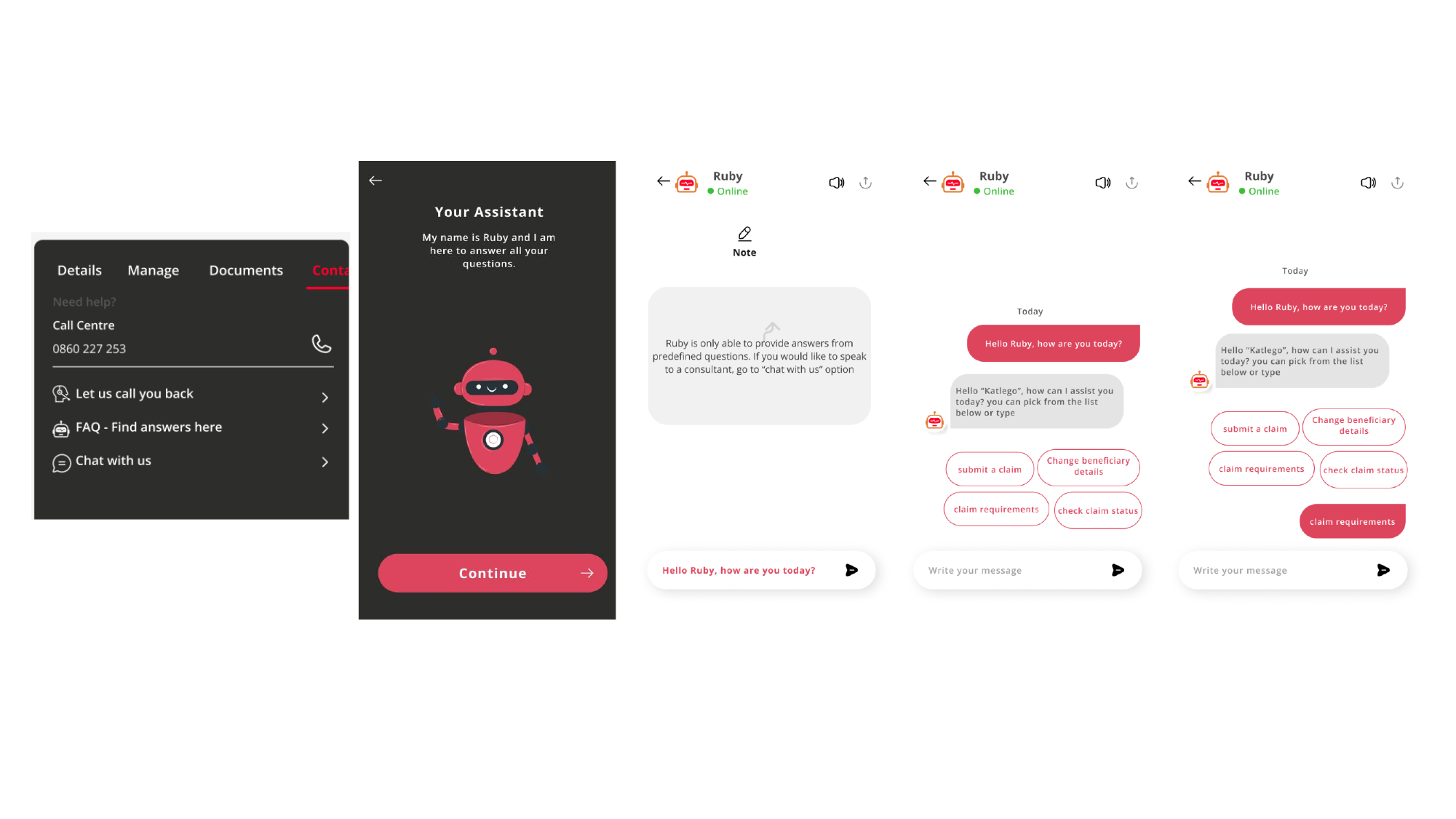
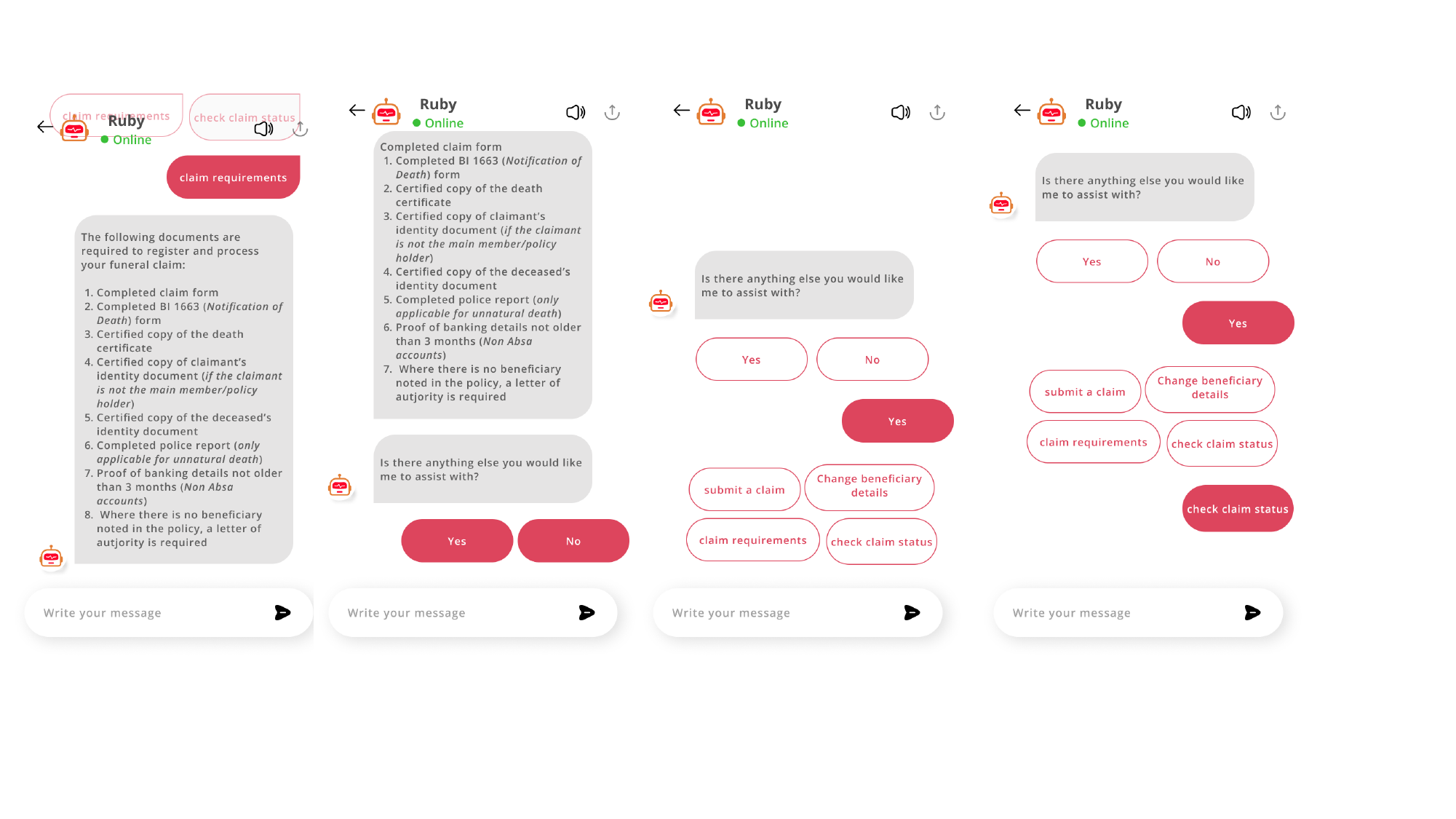
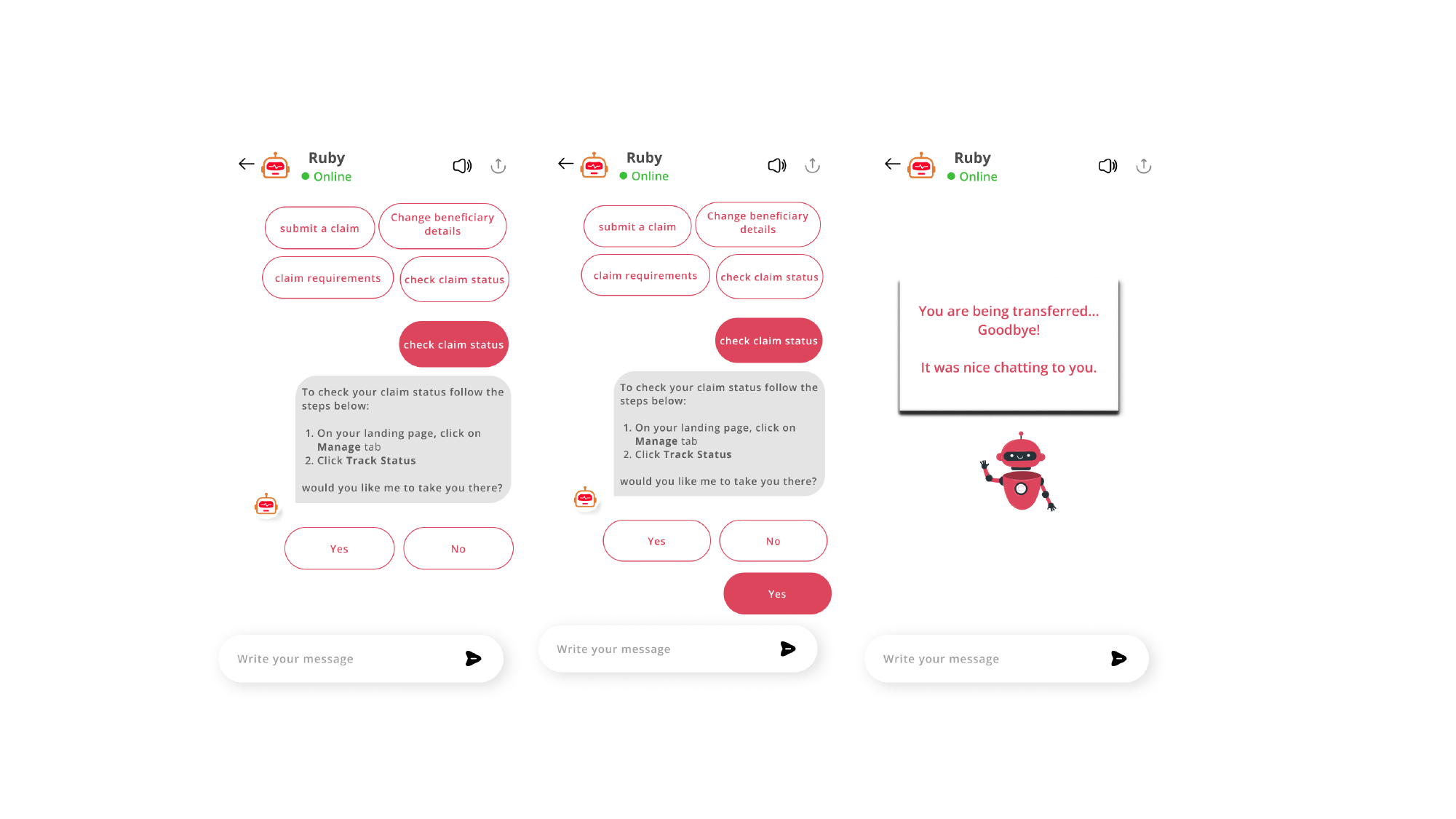
Ruby as a self-service FAQ assistant inside the Absa Life mobile app. Customers can submit a claim, change beneficiary details, check claim requirements, or check claim status — without queueing for an agent. Designed the in-app entry point, the menu logic, and every answered-question state.

Absa Life FAQ Chatbot — Account page entry points — Details, Manage, Documents, Contact
Account page entry points — Details, Manage, Documents, Contact
Absa Life FAQ Chatbot — Ruby welcome + assistant menu
Ruby welcome + assistant menu
Absa Life FAQ Chatbot — Claim requirements — required documents response
Claim requirements — required documents response
Absa Life FAQ Chatbot — Track claim status — guided handoff
Track claim status — guided handoff
04

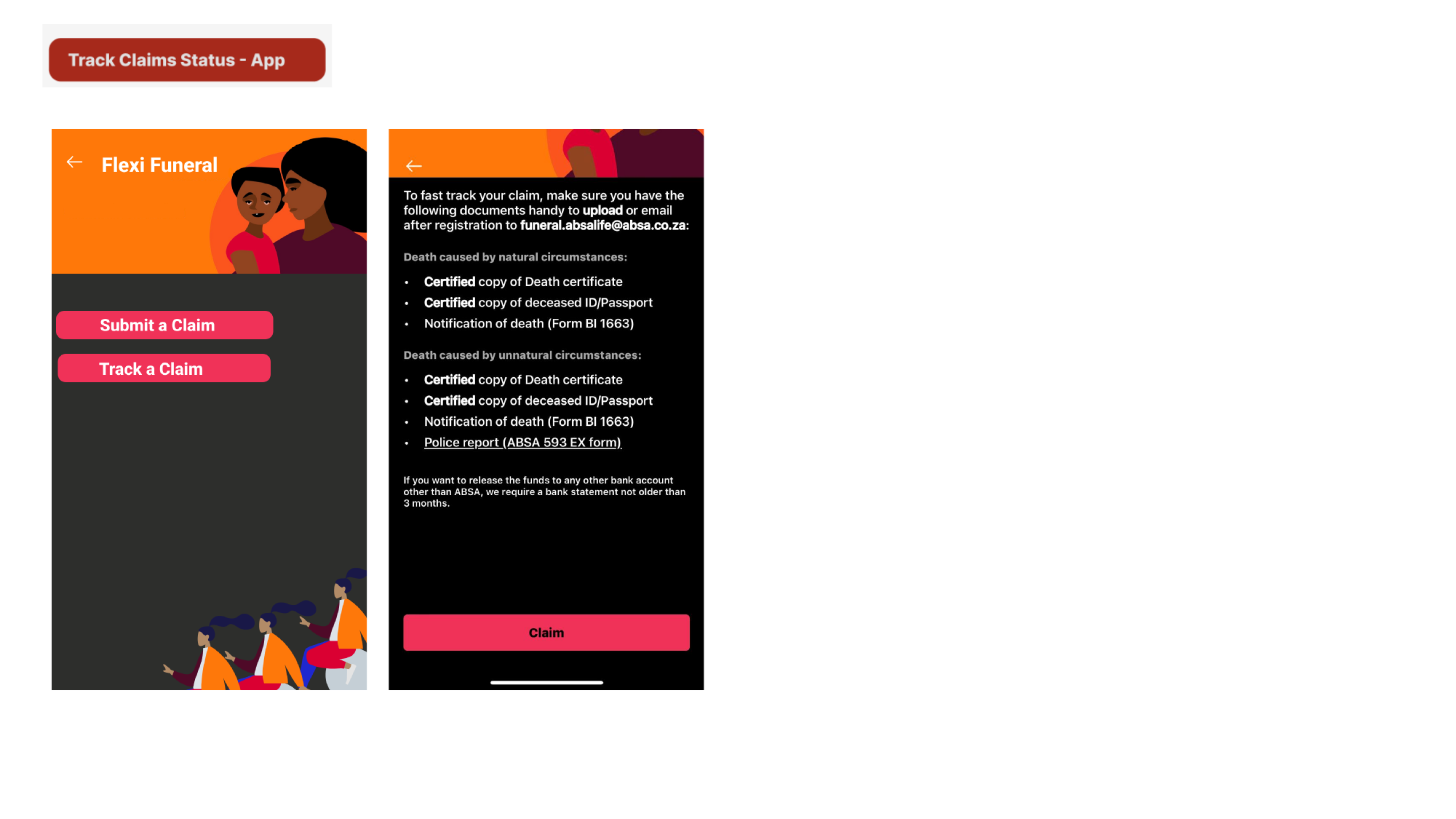
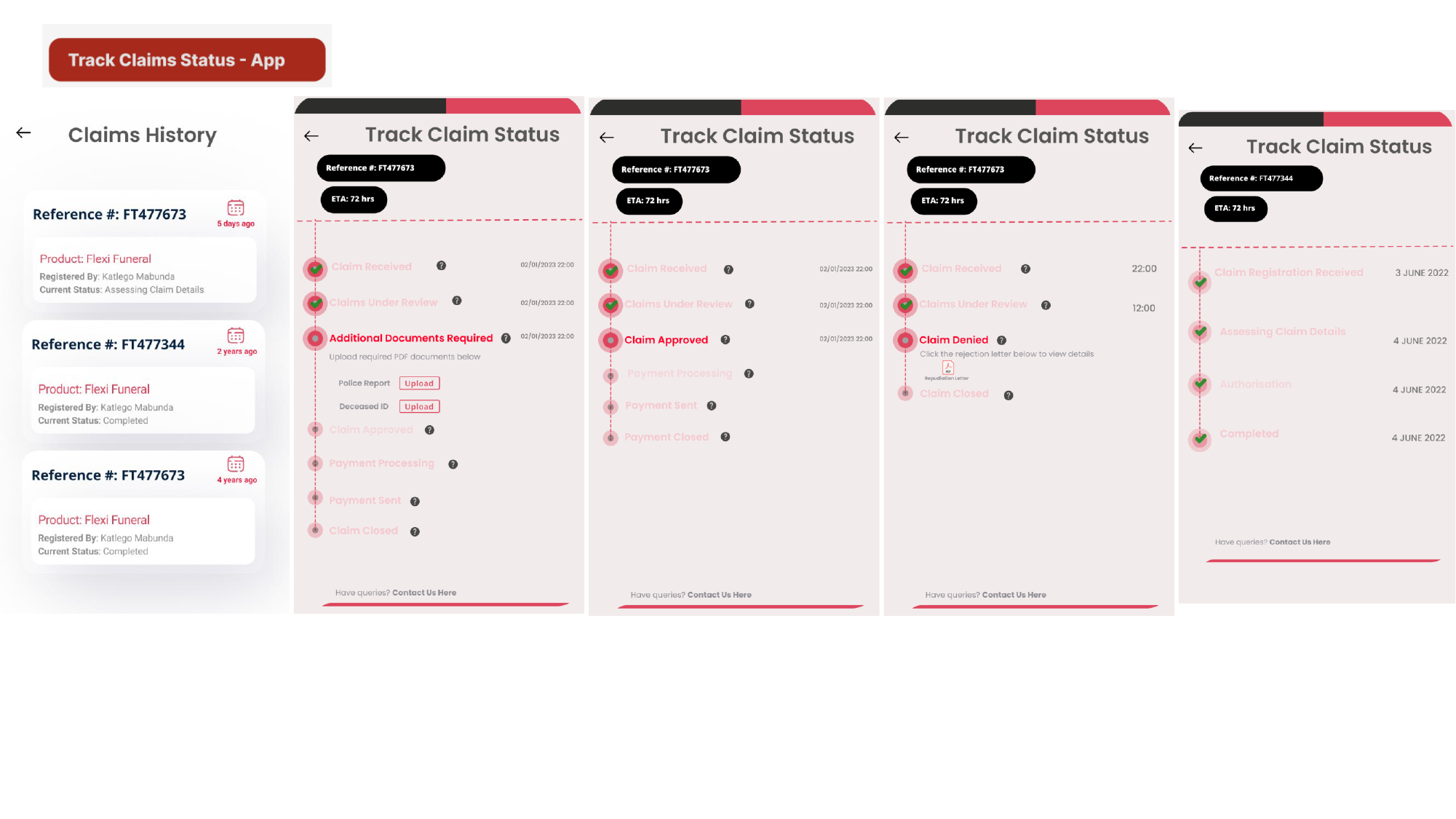
Absa Life Claims Tracker — App

UX flow + screen designs

A claims-tracking surface inside the Absa Life mobile app — submit, track, upload supporting documents, and follow your claim from registration through assessment, authorisation, and payment. Designed the claims history list, the detailed status timeline, and every state (received, under review, additional docs needed, approved, denied, completed).

Absa Life Claims Tracker — App — Submit / Track entry + required documents
Submit / Track entry + required documents
Absa Life Claims Tracker — App — Claims history + timeline states
Claims history + timeline states
05

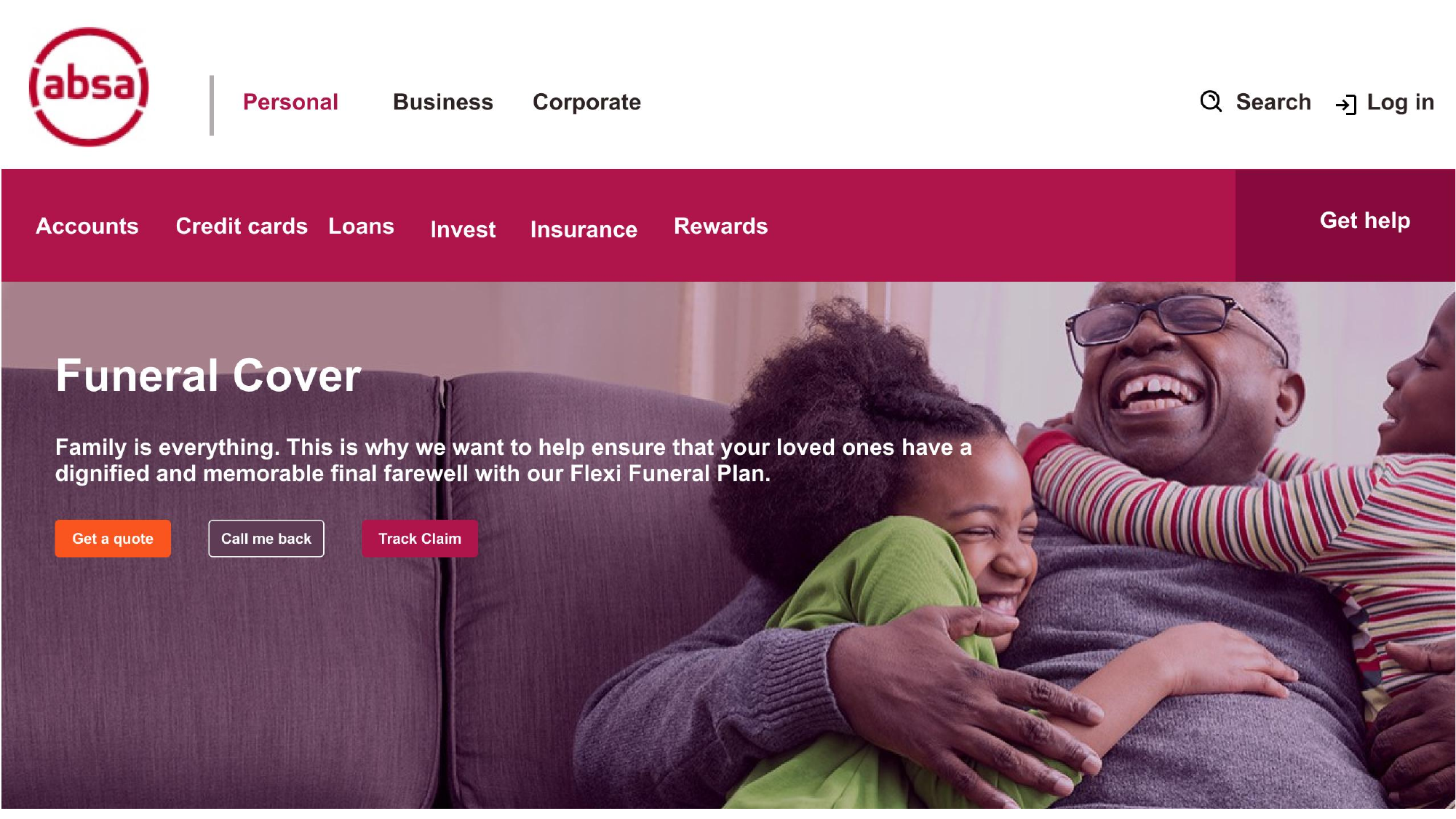
Absa Life Claims Tracker — Web

Web UX + page design

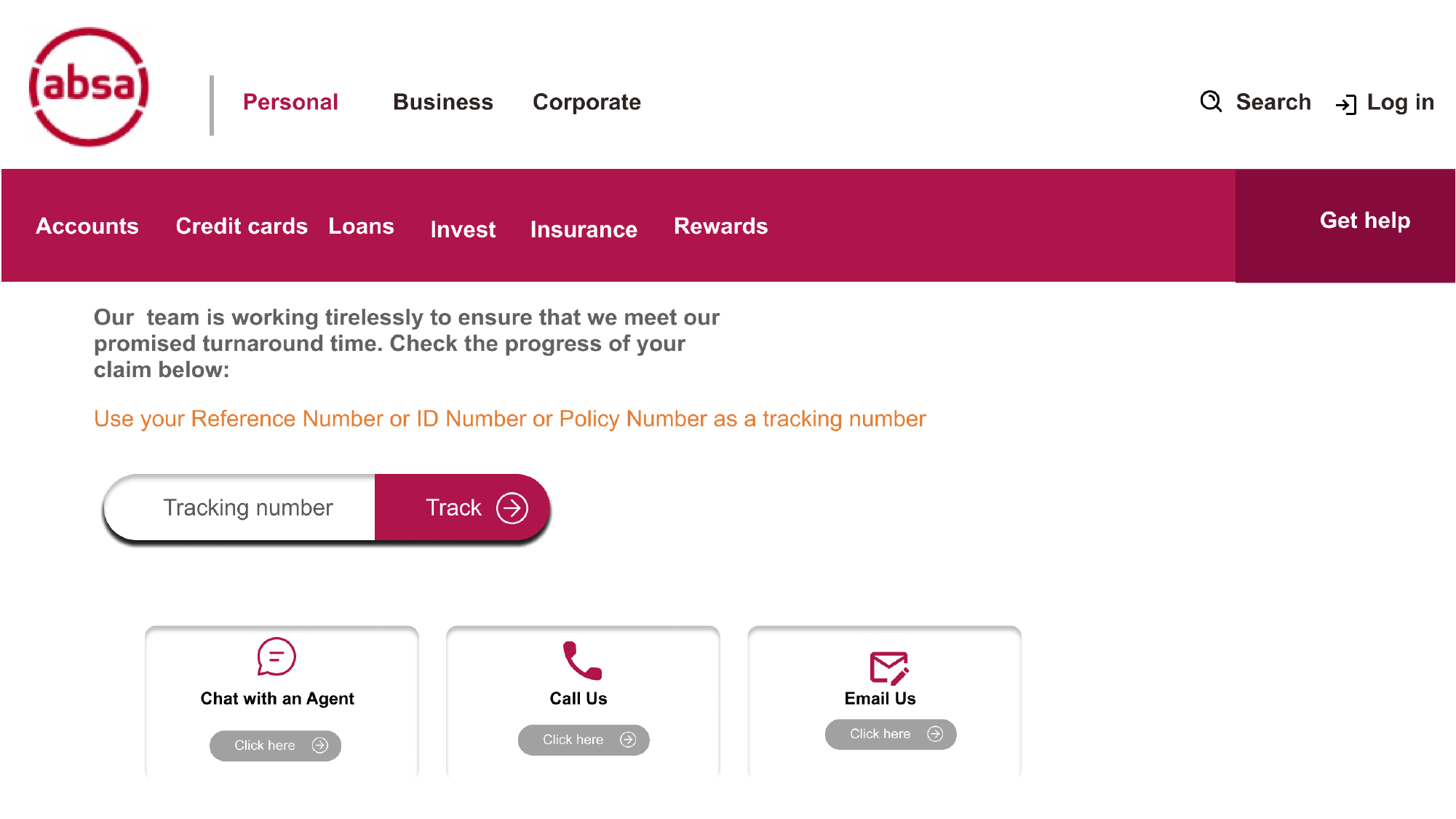
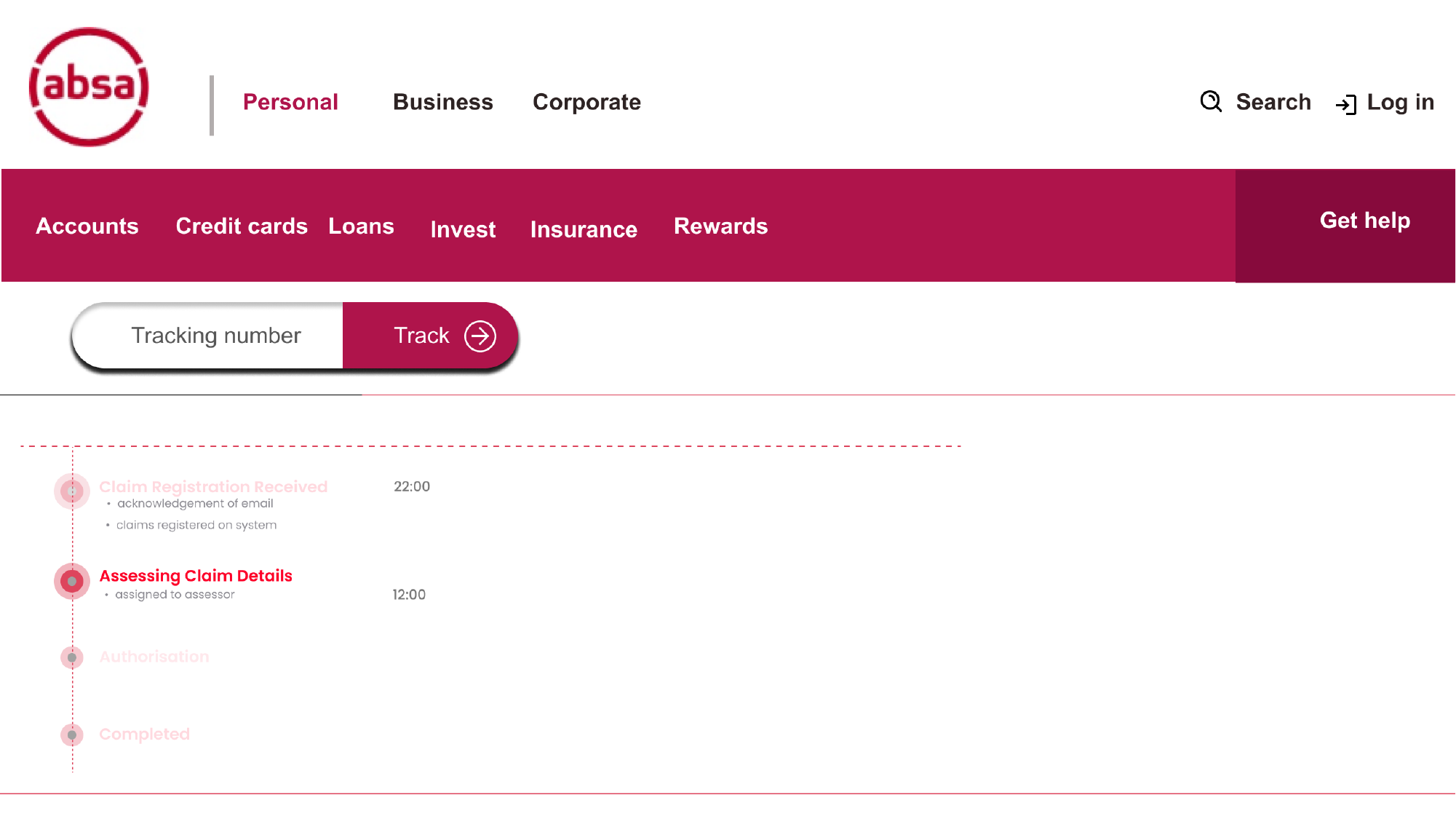
The same claims-tracking experience adapted for absa.co.za. Customers without the app can track their claim by reference, ID, or policy number — and fall back to chat, call, or email if they need help.

Absa Life Claims Tracker — Web — Funeral Cover landing page — entry to tracker
Funeral Cover landing page — entry to tracker
Absa Life Claims Tracker — Web — Tracking entry — Chat with Agent / Call Us / Email Us fallbacks
Tracking entry — Chat with Agent / Call Us / Email Us fallbacks
Absa Life Claims Tracker — Web — Tracking number + status timeline
Tracking number + status timeline
06

Absa Life Live Chat

UX flow + advisor + customer screen designs

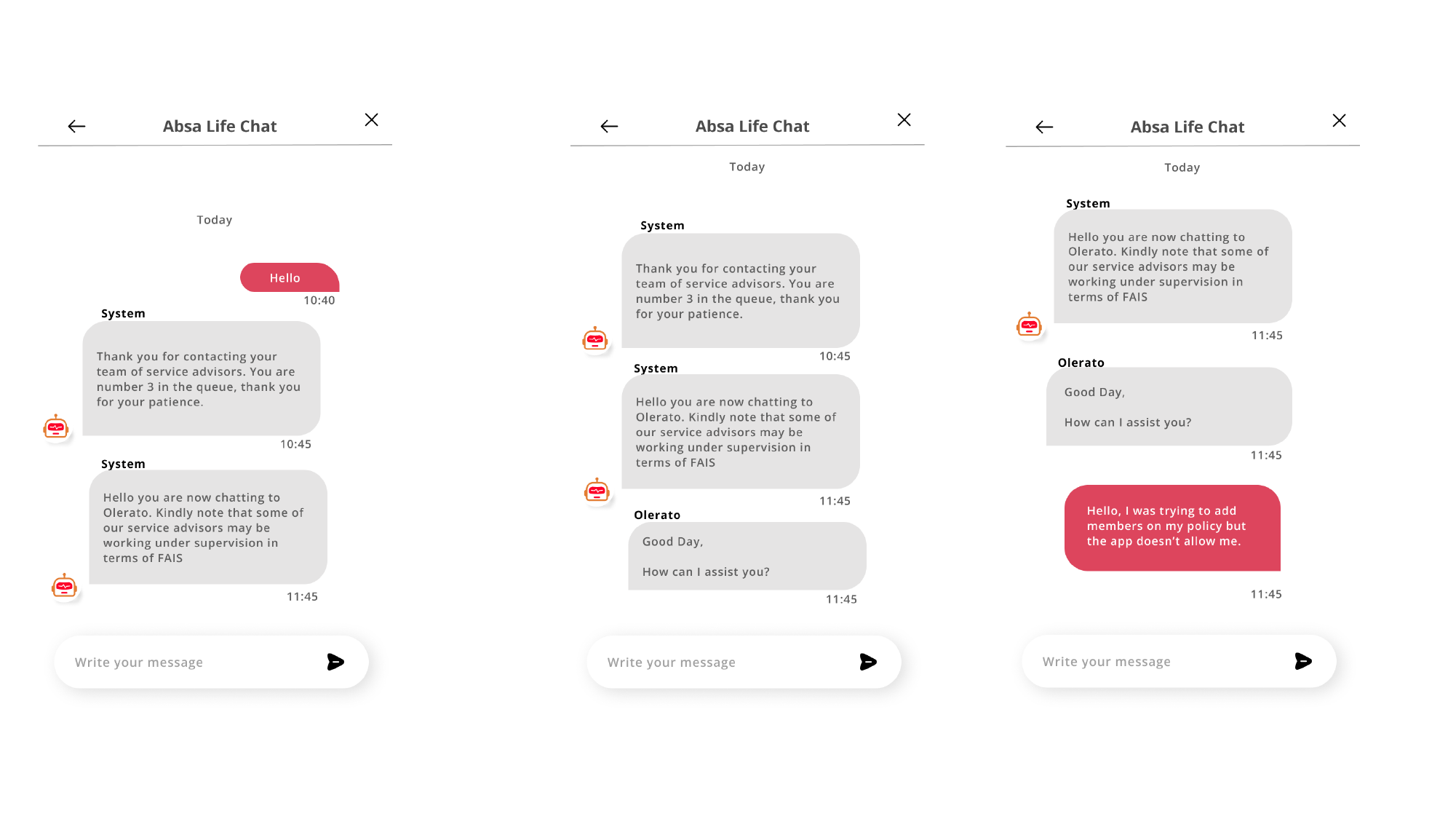
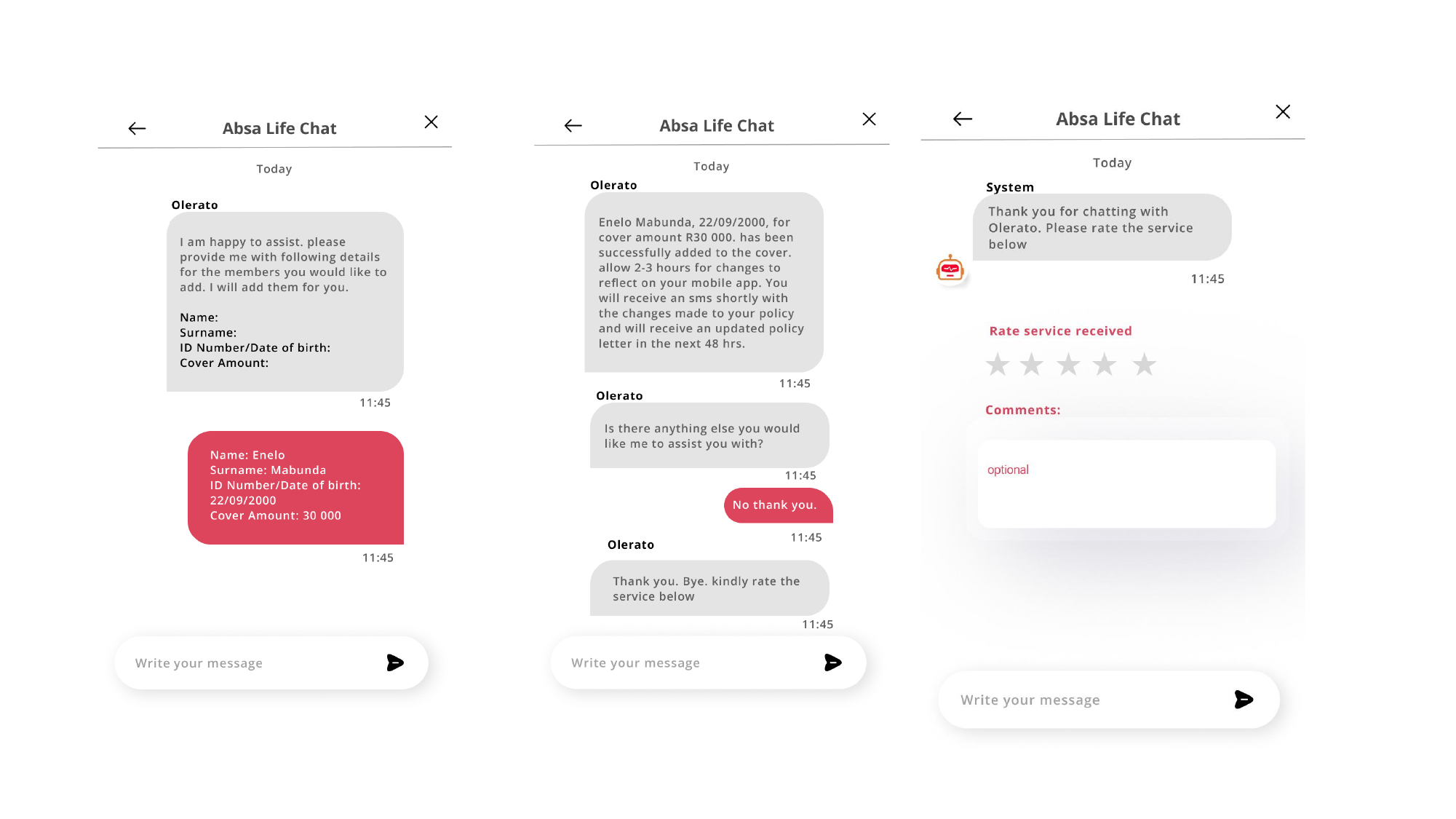
When self-service isn't enough, customers reach a real Absa Life advisor. Designed the in-queue messaging, the FAIS supervision disclosure, the structured information capture (so the advisor doesn't have to type everything from scratch), and the post-chat rating step.

Absa Life Live Chat — In-queue + advisor handover greeting
In-queue + advisor handover greeting
Absa Life Live Chat — Information capture, confirmation, and post-chat rating
Information capture, confirmation, and post-chat rating
07

Absa Life Pay Missed Premium — App

UX flow + screen designs

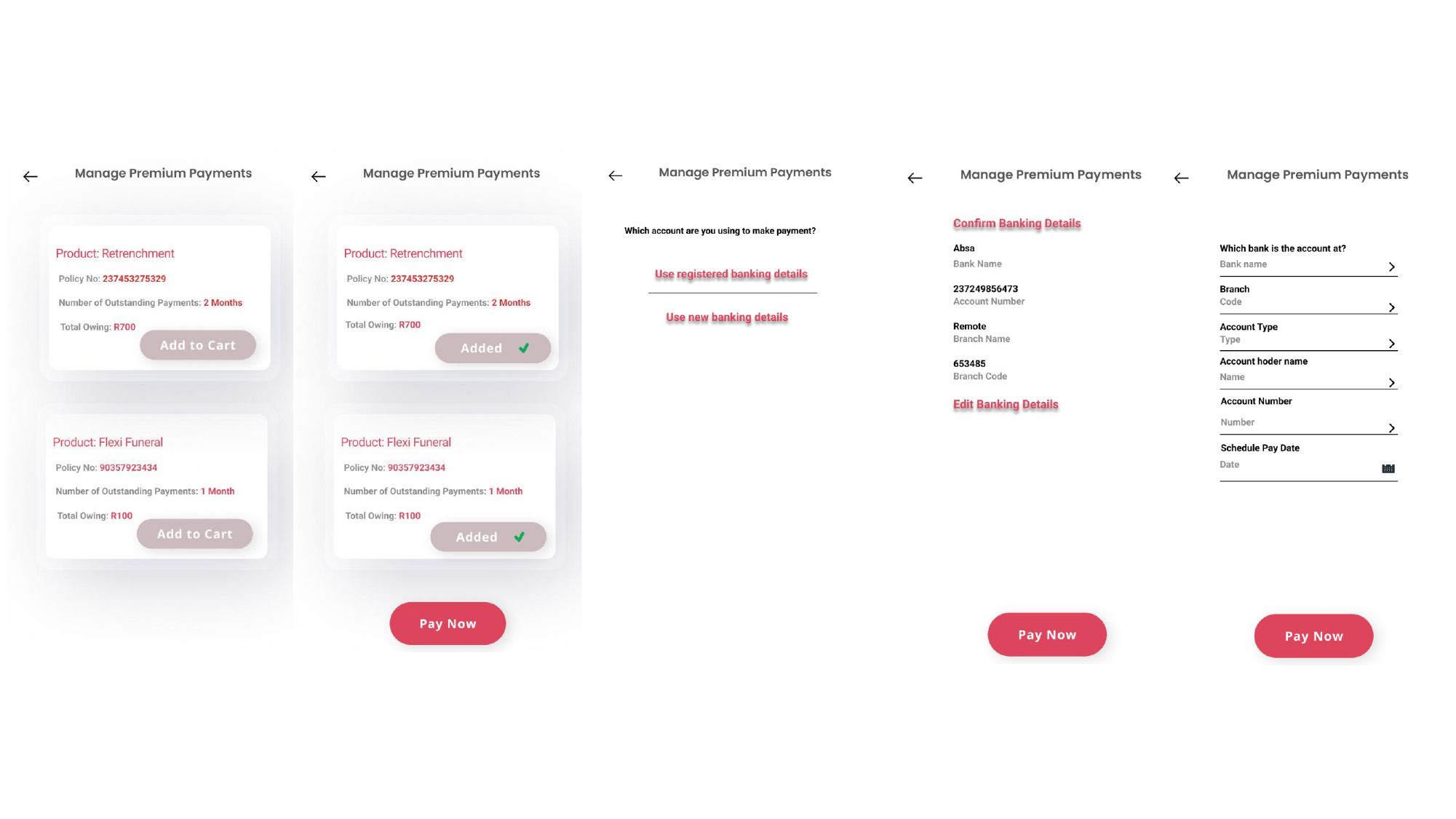
A flow to pay missed premiums across multiple policies in one go — including the cart-style selection, banking detail confirmation, and pay-now action. Designed for customers who've missed two or more months and need to recover lapse risk quickly.

Absa Life Pay Missed Premium — App — Cart, banking detail confirmation, schedule pay
Cart, banking detail confirmation, schedule pay
08

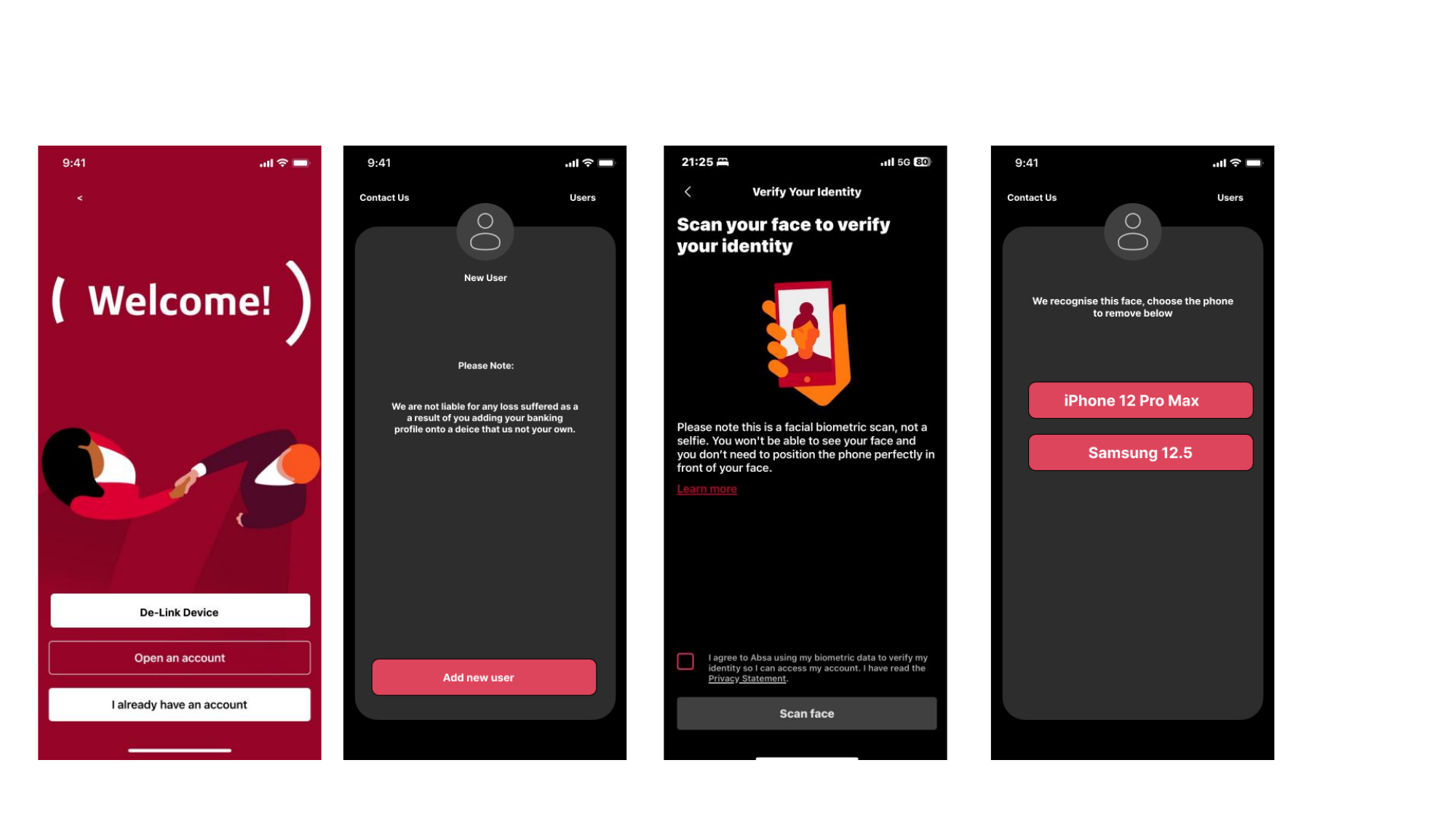
Delink Stolen Mobile Device — App

Concept + UX flow + iOS screen designs

If your phone is stolen but you can still get to a backup device, you should be able to de-link the lost phone from your Absa Mobile App without calling the contact centre. Designed the new-user warning, the de-link entry point, biometric face verification, and device chooser.

Delink Stolen Mobile Device — App — New-user warning, welcome, biometric scan, device chooser
New-user warning, welcome, biometric scan, device chooser
09

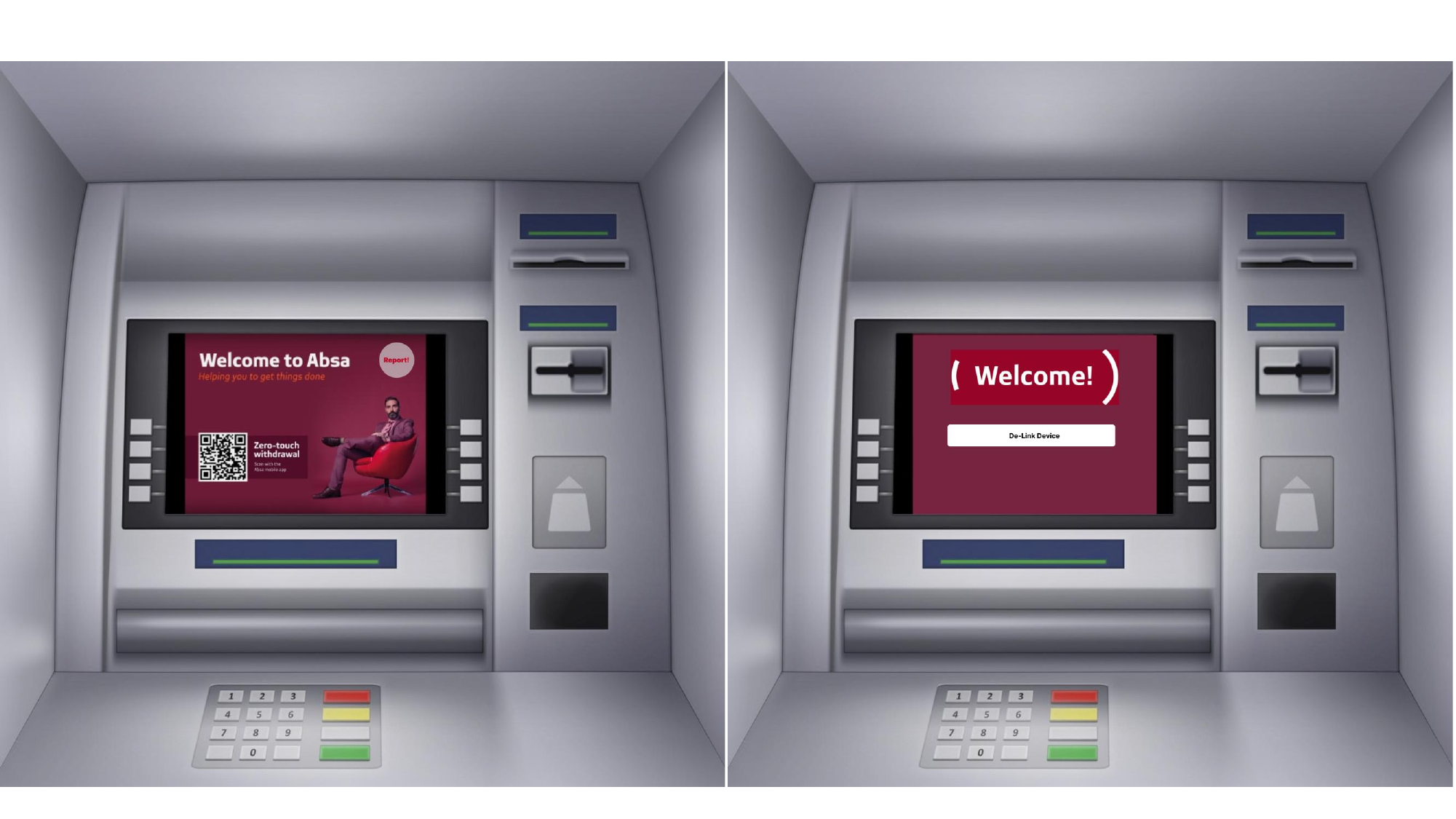
Delink Stolen Mobile Device — ATM

Channel concept + ATM screen designs

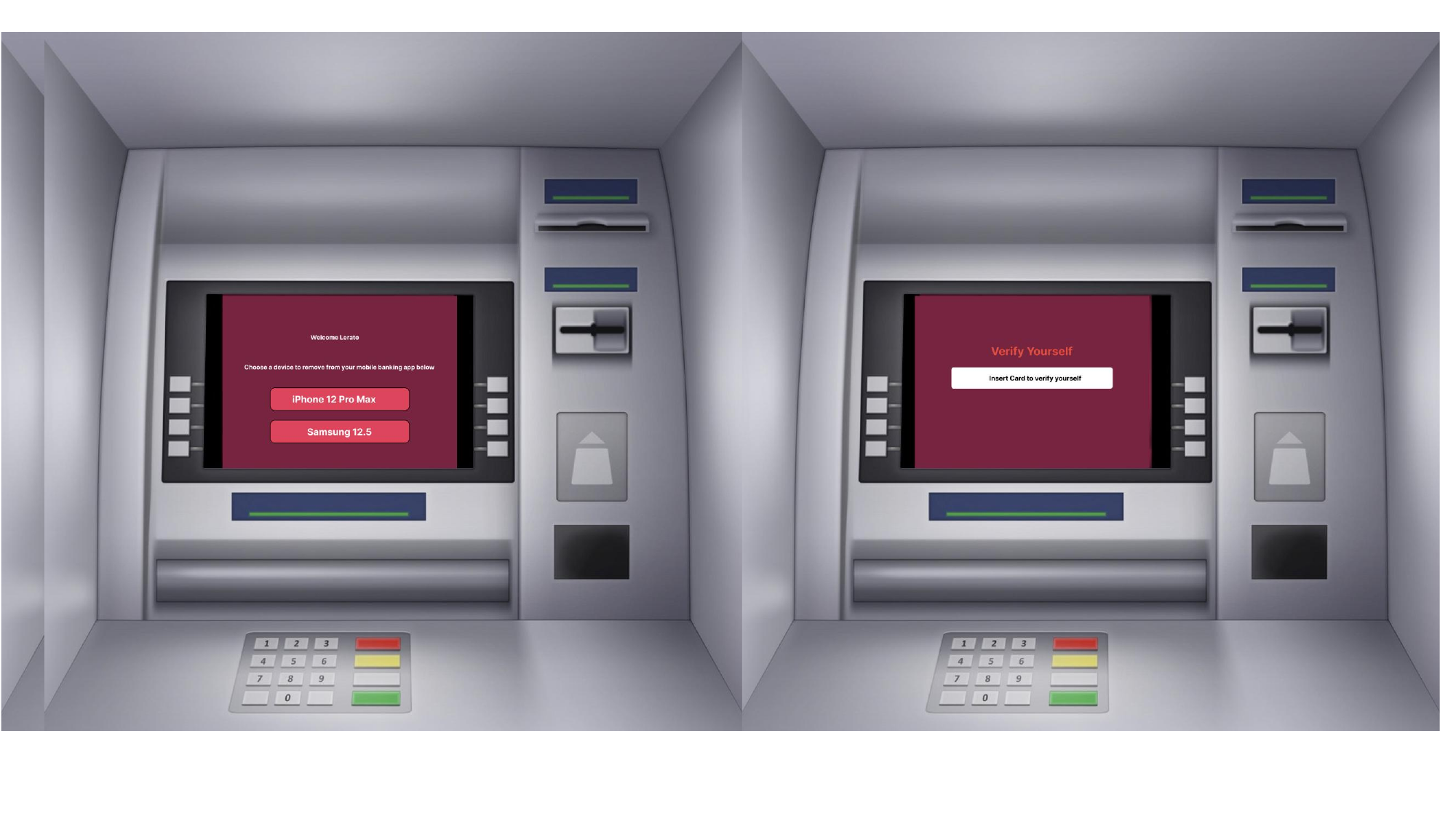
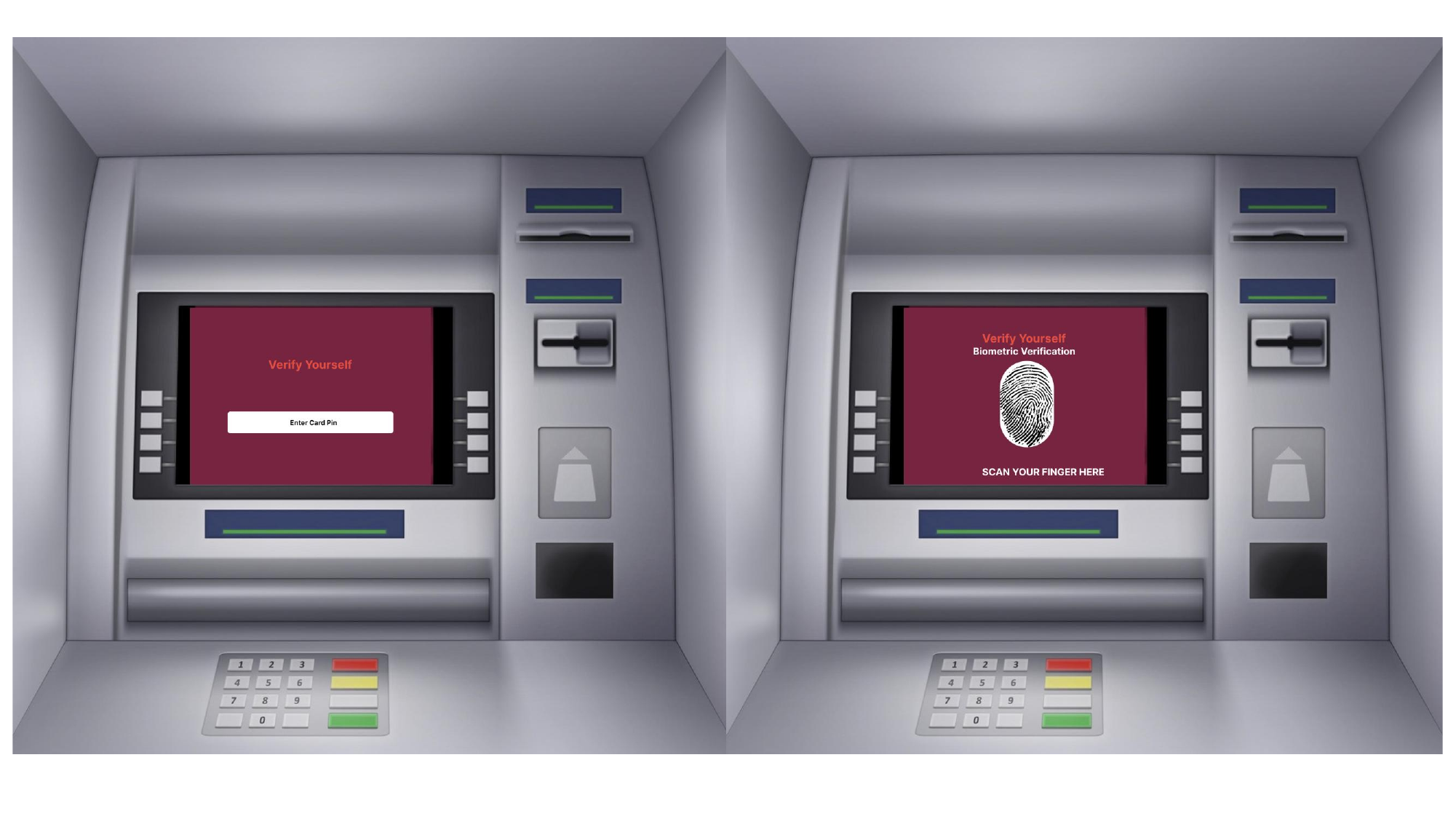
The same de-link capability surfaced at the ATM — for customers who have their card but no phone. Designed the welcome screen entry, card insertion, PIN verification, and biometric fingerprint fallback.

Delink Stolen Mobile Device — ATM — ATM welcome + De-Link Device entry
ATM welcome + De-Link Device entry
Delink Stolen Mobile Device — ATM — Choose device + Insert Card to verify
Choose device + Insert Card to verify
Delink Stolen Mobile Device — ATM — Card PIN entry + biometric fingerprint scan
Card PIN entry + biometric fingerprint scan
10

Delink Stolen Mobile Device — USSD

USSD menu structure + screen designs

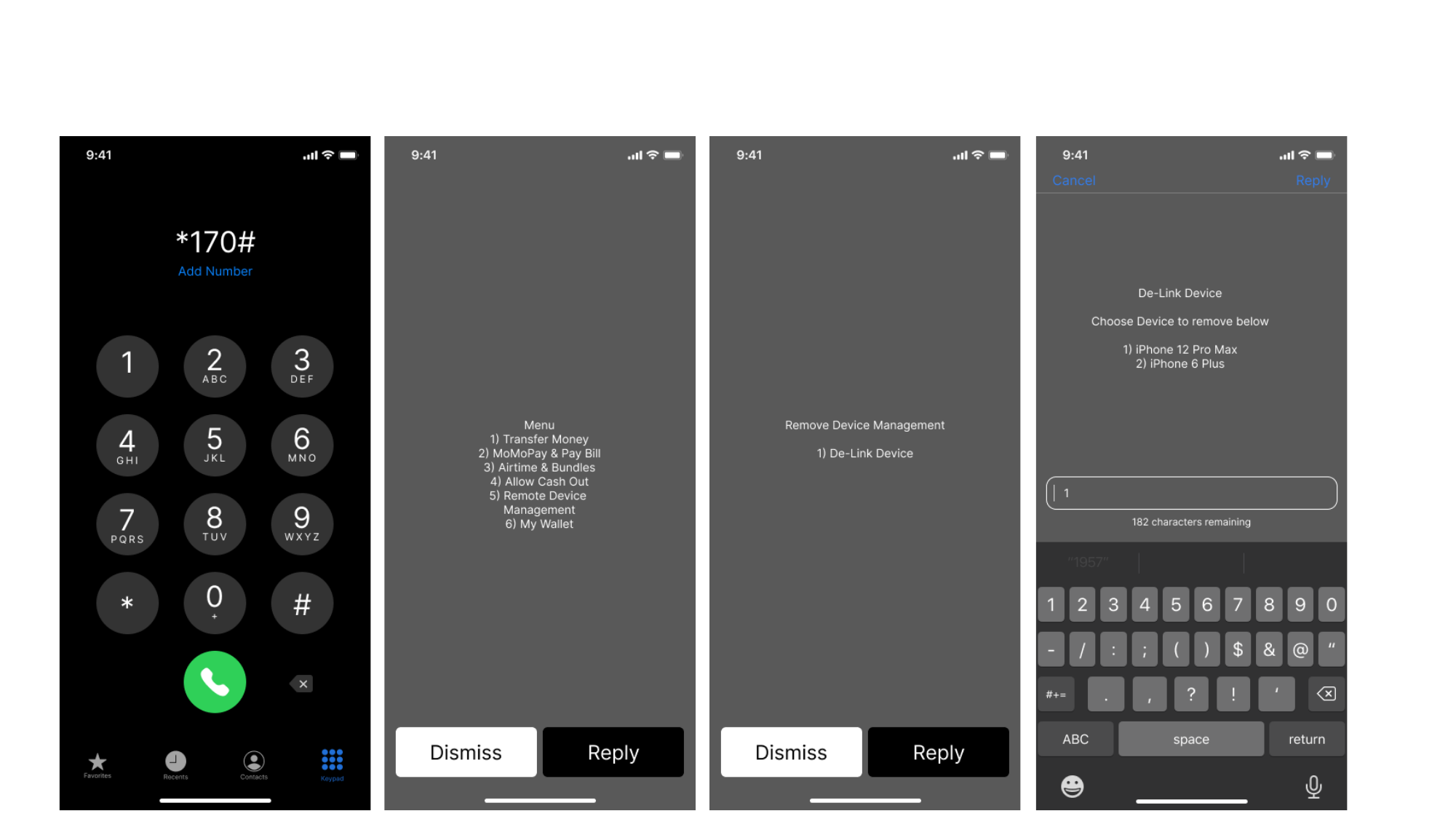
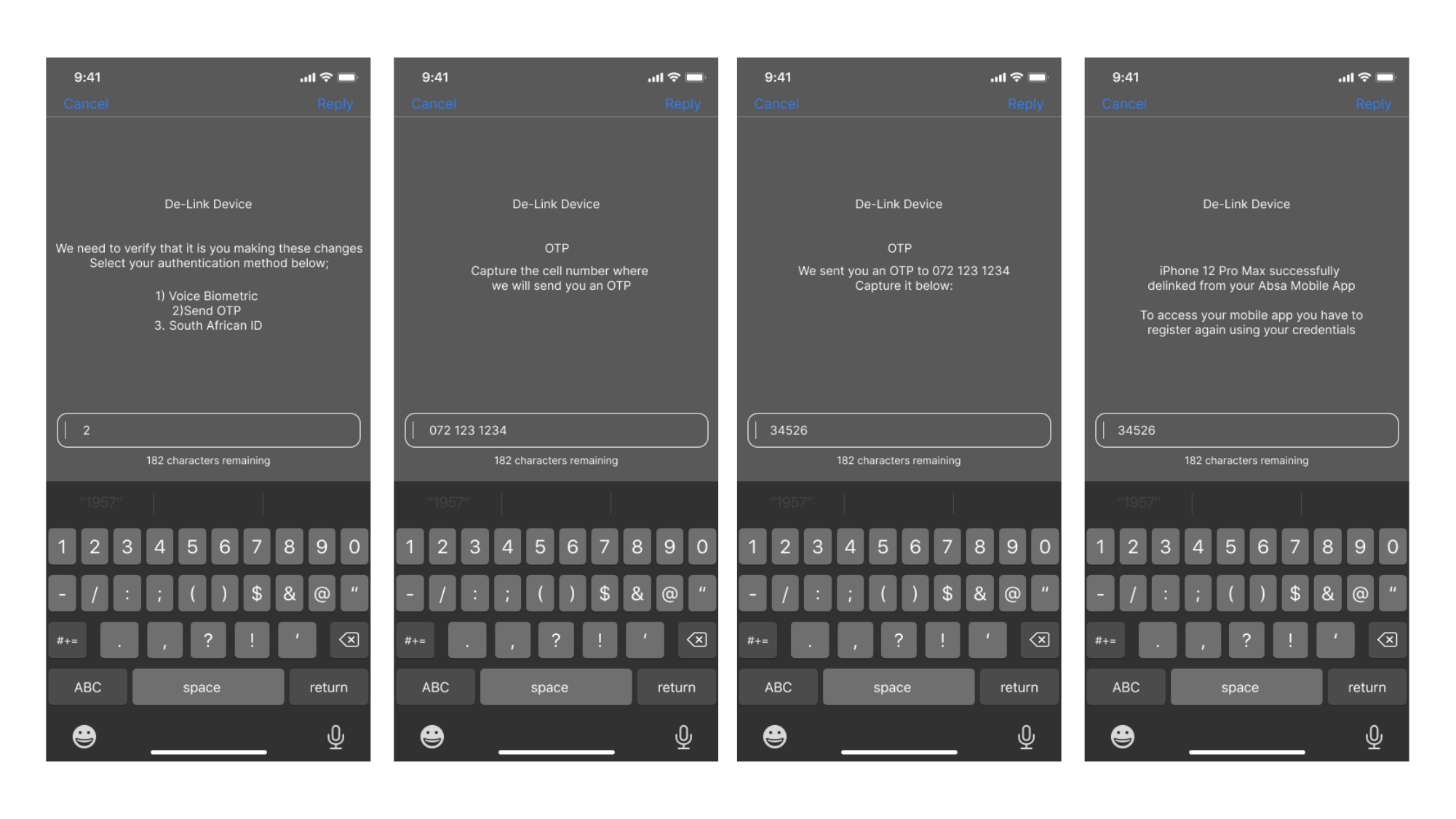
And the same flow for customers without a smartphone or branch access — dial *170#, navigate Remote Device Management, choose the device to de-link, and confirm via OTP. Designed the menu structure, the OTP capture and verification, and the success confirmation so the flow works on a basic feature phone.

Delink Stolen Mobile Device — USSD — *170# dial → menu → Remove Device Management → De-Link
*170# dial → menu → Remove Device Management → De-Link
Delink Stolen Mobile Device — USSD — Auth method choice → OTP capture → OTP verify → success
Auth method choice → OTP capture → OTP verify → success
Back to portfolio